A map is how you stop getting lost. One map shows a 128 by 128 block square of the world from above, it fills in as you walk, and with a cartography table you can zoom it out to cover over two thousand blocks across, copy it for friends, lock it as a snapshot, or frame dozens of them into a wall-sized atlas of your world.
Quick answers
- Crafting: 8 paper around a compass makes an empty map. Use it to start drawing.
- Area: 128 by 128 blocks at first. Each zoom-out doubles the width, up to 2048 by 2048.
- Zoom out: cartography table, map plus one paper per level.
- Copy: cartography table, map plus an empty map.
- Lock: cartography table, map plus a glass pane.
- Mark a spot: use the map on a placed banner.
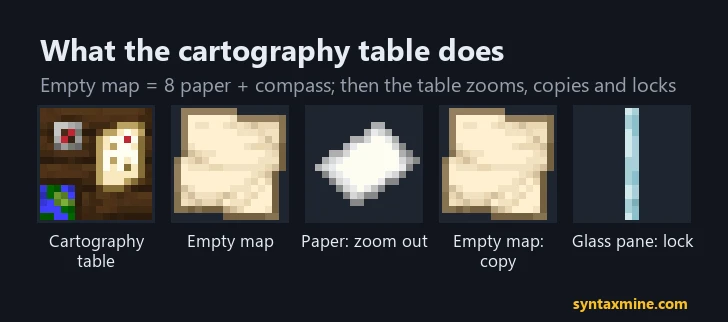 Image: SyntaxMine, made from Minecraft's own textures.
Making and drawing a map
Craft an empty map from eight paper surrounding a compass. Paper comes from sugar cane; a sugar cane farm keeps you supplied.
Use the empty map and it becomes a drawn map of the area around you, not where you crafted it. From then on it fills in whenever you carry it through its area and hold it. It only records the surface: carry it underground and it still draws the land above.
Zoom levels
| Level |
Blocks per map pixel |
Area covered |
| 0 |
1 |
128 x 128 |
| 1 |
2 |
256 x 256 |
| 2 |
4 |
512 x 512 |
| 3 |
8 |
1024 x 1024 |
| 4 |
16 |
2048 x 2048 |
To zoom out, put the map and one paper in a cartography table. Each step needs another paper, so going from 0 to 4 takes four. Zooming out wipes the drawing, and you have to walk the area again.
Which level to use? Level 0 or 1 for a base and its surroundings, where detail matters; level 3 or 4 for a world overview with roads and portals.
The cartography table
Craft it from two paper on top of four planks. It does three useful jobs:
- Zoom out: map + paper.
- Copy: map + empty map. Copies stay linked: exploring with one updates all of them, and they stack together. Hand copies to friends and you each see the others only while holding a copy of the same map.
- Lock: map + glass pane (plain glass only, not stained). A locked map never changes again, which makes it a snapshot of how your world looked on that day. Copies of a locked map are locked too.
Building a seamless map wall
Maps snap to a fixed world grid, so maps made side by side line up perfectly, but only if each map is started inside its own grid square:
- Make your first map and frame it on a wall.
- Walk past the edge of that map's area in one direction, a little further than it covers, and start a new map there. It will be the neighbouring square.
- Repeat for each tile, then place them in item frames in the same layout.
Unexplored parts of a framed map show as transparent, and every framed map shows a green marker for where its frame is, which helps you see your bases on the wall. Four level 2 maps in a 2 by 2 grid already cover 1024 by 1024 blocks with fine detail.
Markers and labels
- Your pointer: a white arrow while you hold the map. If you leave the map's area it turns into a dot on the edge, and disappears completely once you are far enough away.
- Banners: rename a banner in an anvil, place it, then use the map on it. The banner appears as a coloured marker with its name on every copy. Our banner guide covers making them.
- Frames: each framed copy shows its location as a green marker.
- Since 1.21.2, players wearing a carved pumpkin do not show on other people's maps.
Explorer maps
Cartographer villagers sell explorer maps that lead to a specific structure, marked with an icon: woodland mansions, ocean monuments, trial chambers and more. Treasure maps from shipwrecks and ruins lead to buried treasure. Both work like normal maps once you have them; our explorer maps guide lists every type and where to buy it. Empty maps also turn up in abandoned camp chests since 26.3.
Maps in the Nether and the End
In the Nether, a map shows only a red and grey static and your pointer spins. Framed copies and banner markers still appear, so you can still mark portals. For Nether travel, coordinates and the 8 to 1 rule work better than maps; our Nether portal guide explains it. In the End, maps draw normally.
Frequently asked questions
How do you make a map in Minecraft?
Craft an empty map from eight paper around a compass, then use it. It draws the 128 by 128 block area around you and fills in as you explore.
How do you make a map bigger in Minecraft?
Put the map and one paper in a cartography table to zoom out one level. Each level doubles the area, up to 2048 by 2048 blocks at level 4. Zooming out erases what was drawn.
How do you copy a map?
Place the map and an empty map in a cartography table. You get two linked copies that update together when either one is used to explore.
How do you make a map wall that lines up?
Start each new map just outside the edge of the previous one so it covers the next square of the world grid, then put them in item frames in the same layout. Maps always snap to the same grid, so they join seamlessly.
Why is my map blank in the Nether?
Maps cannot draw the Nether. They show only red and grey static there, although framed map markers and banner markers still appear.

Comments
Loading...