Every "best shaders" list leads with Complementary and BSL. Both look excellent, and at their default settings both expect a mid-range GPU. Complementary can scale down with its Potato and Low profiles, but on a GTX 1050, integrated graphics or 2016-2018 era hardware, a pack built to be light from the start usually gives you a steadier frame rate.
This guide is specifically for low-end hardware, on Minecraft 26.3 Java Edition. It does not quote FPS numbers per pack, because they depend on your GPU, CPU, resolution, render distance and even the biome you stand in. Instead it tells you what each pack actually renders (the expensive part is the shadow pass), whether it is still maintained, and how to measure it on your own machine in two minutes.
Define your hardware first
Before picking a shader:
| Tier |
Hardware examples |
Shader tier |
| Integrated |
Intel UHD 620/730, Iris Xe, AMD Vega 8 |
Potato Shaders, or Sildur's Enhanced Default on Fast |
| Very low-end |
GT 1030, GTX 950, RX 460 |
Sildur's Enhanced Default (Fast profile) |
| Low-end |
GTX 1050, GTX 1050 Ti, RX 570 |
Sildur's Enhanced Default (Fancy), Sildur's Vibrant Medium |
| Low-mid |
GTX 1060, RX 580 |
Complementary (Low or Medium profile, either style) |
If you have a GTX 1060 or better, start with Complementary on the Medium or Low profile (see the Complementary Shaders review; Reimagined is the vanilla-like style, Unbound the realistic one) and tune from there. This guide is for everything below that line.
Install method: Iris only
All shaders on this list require Iris (for Fabric) or optionally OptiFine. Iris + Sodium gives noticeably better performance than OptiFine on the same shader pack: the render pipeline improvement from Sodium compounds with lighter shader load.
Install Iris first: modrinth.com/mod/iris. It requires Sodium and Fabric API.
Add the full performance mod stack (Lithium, FerriteCore, EntityCulling) before enabling shaders. These mods free up CPU budget that helps shader performance.
The picks
1. Sildur's Enhanced Default: best overall for low-end
Sildur's Enhanced Default is the most recommended low-end pack and it is still actively maintained: the Modrinth page lists 26.3 support and the pack was last updated in September 2026. As the name says, it keeps the vanilla look instead of restyling the game, and adds shadows, reflections, TAA (temporal anti-aliasing) and godrays on top.
It has two in-game profiles, Fast and Fancy, and the author says Fast is "quite a lot faster" than Fancy. On a weak GPU, start on Fast and only move to Fancy if you have frames to spare. It also supports Distant Horizons and Voxy, and loads on both Iris and OptiFine.
That is the tradeoff that makes it the default pick: it looks like a better-lit vanilla, not a different game, and that is exactly why it stays cheap.
Modrinth: modrinth.com/shader/sildurs-enhanced-default-shaders
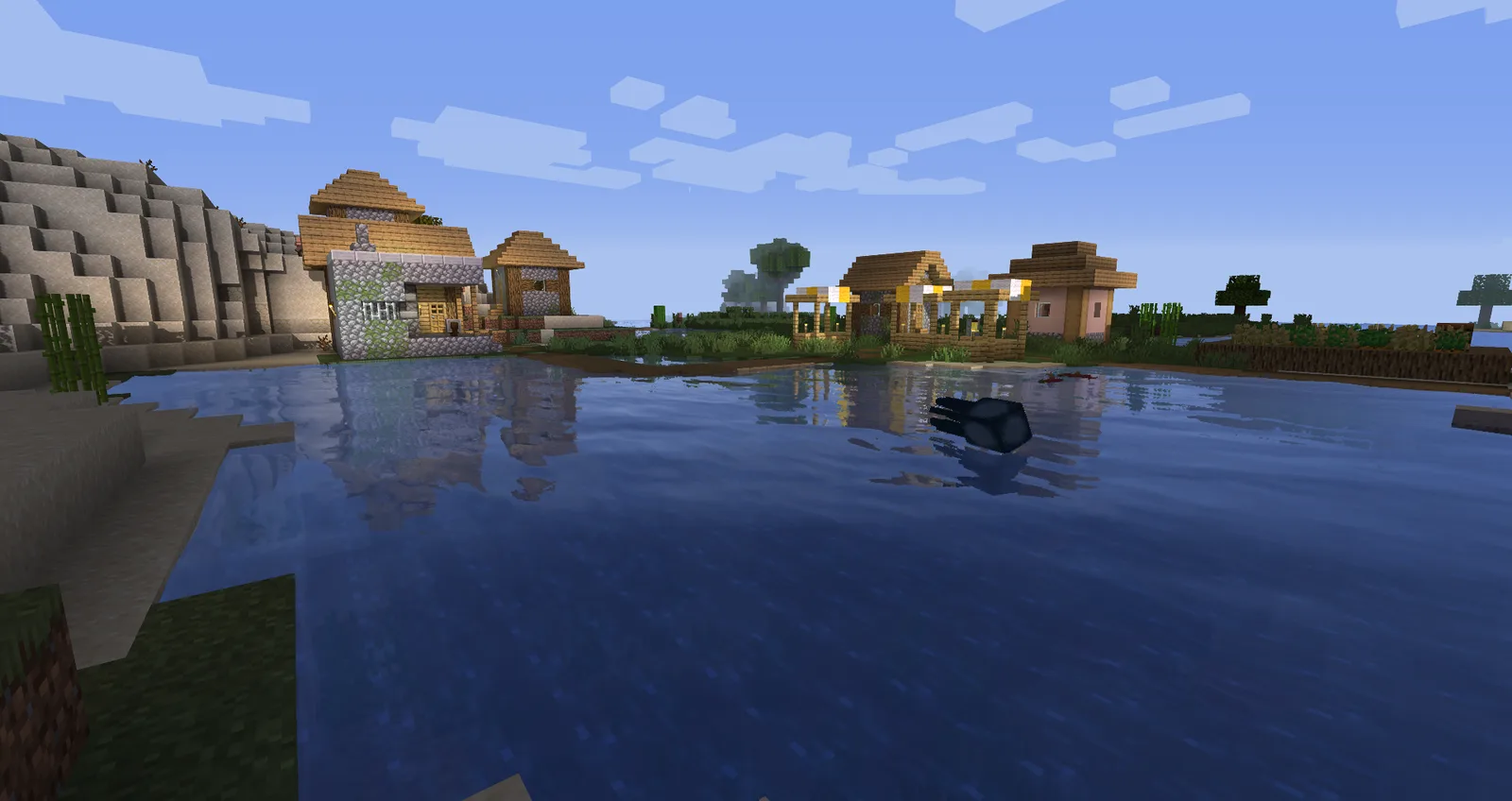 Screenshot: Sildur's Enhanced Default gallery on Modrinth, by Sildur.
2. Super Duper Vanilla: the most stylized of the light packs
Super Duper Vanilla (SDV) recreates the look of the cancelled Super Duper Graphics Pack, with sun shadows, cloud shadows and stylized water. It is more ambitious visually than Enhanced Default, so treat it as the step up once Enhanced Default on Fancy runs comfortably.
One caution for 26.3: SDV was last updated in July 2025 and its Modrinth page does not list any 26.x version. Shader packs often keep loading on newer Iris builds, but nobody has confirmed this one on 26.3. If it fails to load or renders wrong, use Sildur's instead.
Modrinth: modrinth.com/shader/super-duper-vanilla
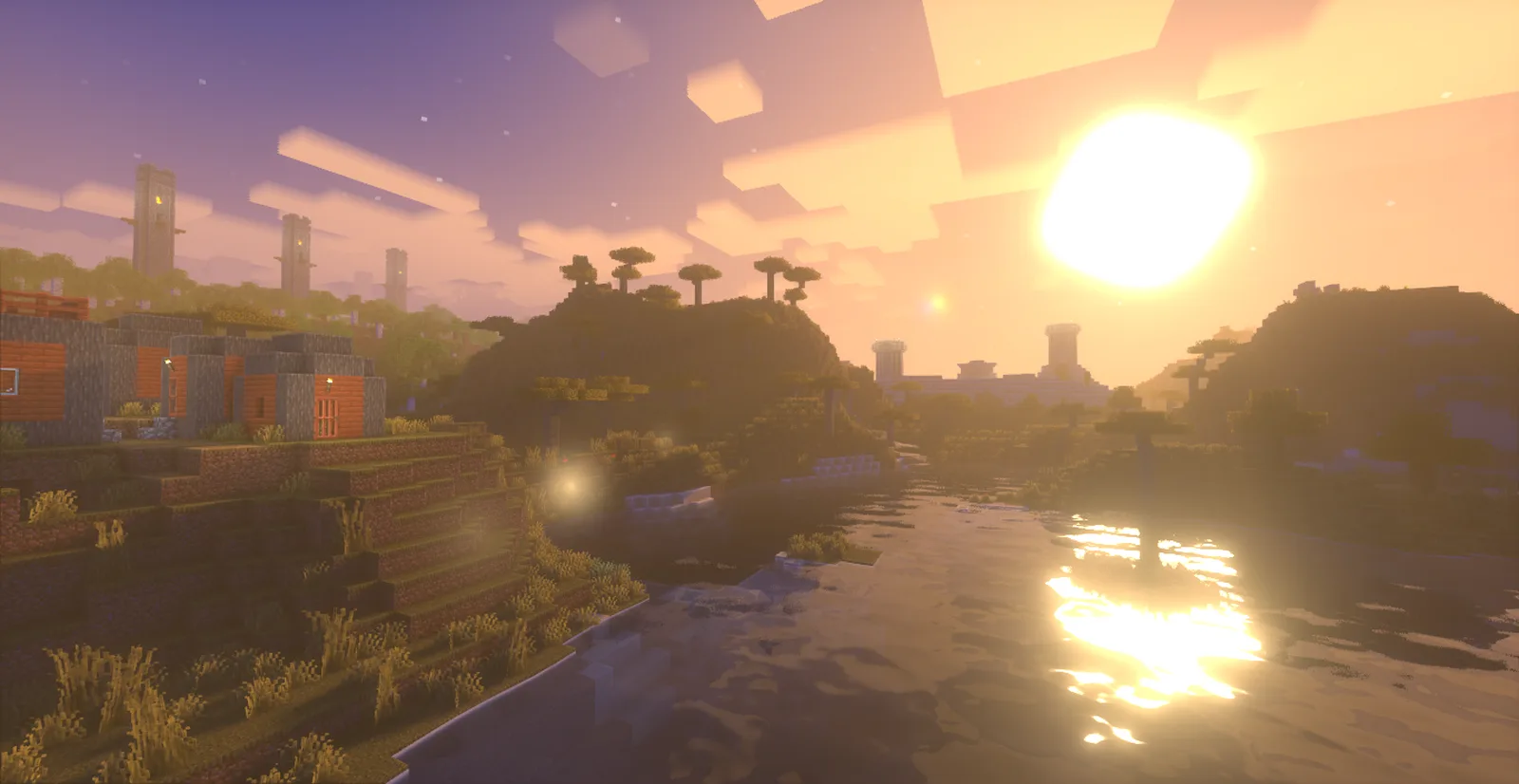 Screenshot: Super Duper Vanilla gallery on Modrinth, by Eldeston.
3. Potato Shaders: the lightest, for integrated graphics
Named honestly. RRe36's Potato Shaders is built to be "usable on a literal potato of a PC," and the way it gets there is by skipping dynamic shadows entirely, the most expensive thing a shader pack does. What it adds instead: better colors and tonemapping, ambient occlusion, custom water, bloom, TAA, and optional depth of field and motion blur (turn those two off on weak hardware).
Requirements from the author: a GPU with OpenGL 4.0, and Intel HD 5000 graphics and older are not supported on Windows because of Intel's drivers. Newer integrated chips (Intel UHD, Iris Xe, AMD Vega) are the target.
Like SDV, it has not been updated since 2023 and is not tagged for 26.x on Modrinth, so if it misbehaves on 26.3, Sildur's Enhanced Default on Fast is the fallback.
Modrinth: modrinth.com/shader/potato-shaders. Several similarly named packs exist with different tradeoffs; this is the original and by far the most downloaded.
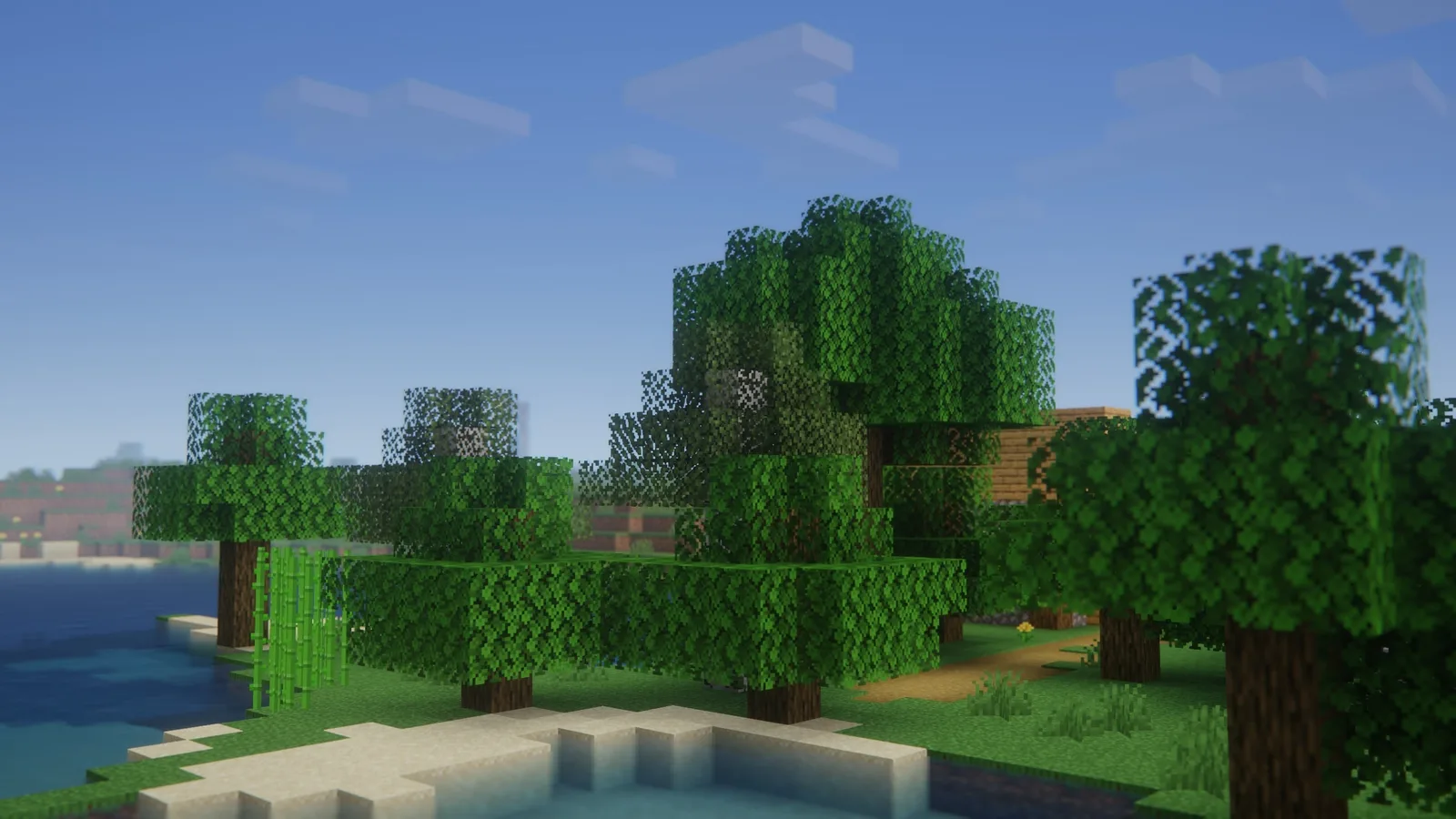 Screenshot: Potato Shaders gallery on Modrinth, by RRe36.
4. Complementary on the Low or Potato profile (GTX 1060 class)
Complementary ships quality profiles from Potato to Ultra, in both styles (Reimagined is vanilla-like, Unbound is realistic). On a GTX 1060 or RX 580:
- Pick the Low profile first, or Potato if Low is not smooth.
- Lower shadow quality and shadow distance next.
- Turn bloom and volumetric light off.
- Keep render distance at 8 to 12 chunks.
Even turned down, its lighting is a step above most light packs, so if your hardware sits right at the GTX 1060 line, try it against Super Duper Vanilla and keep whichever runs better in your world.
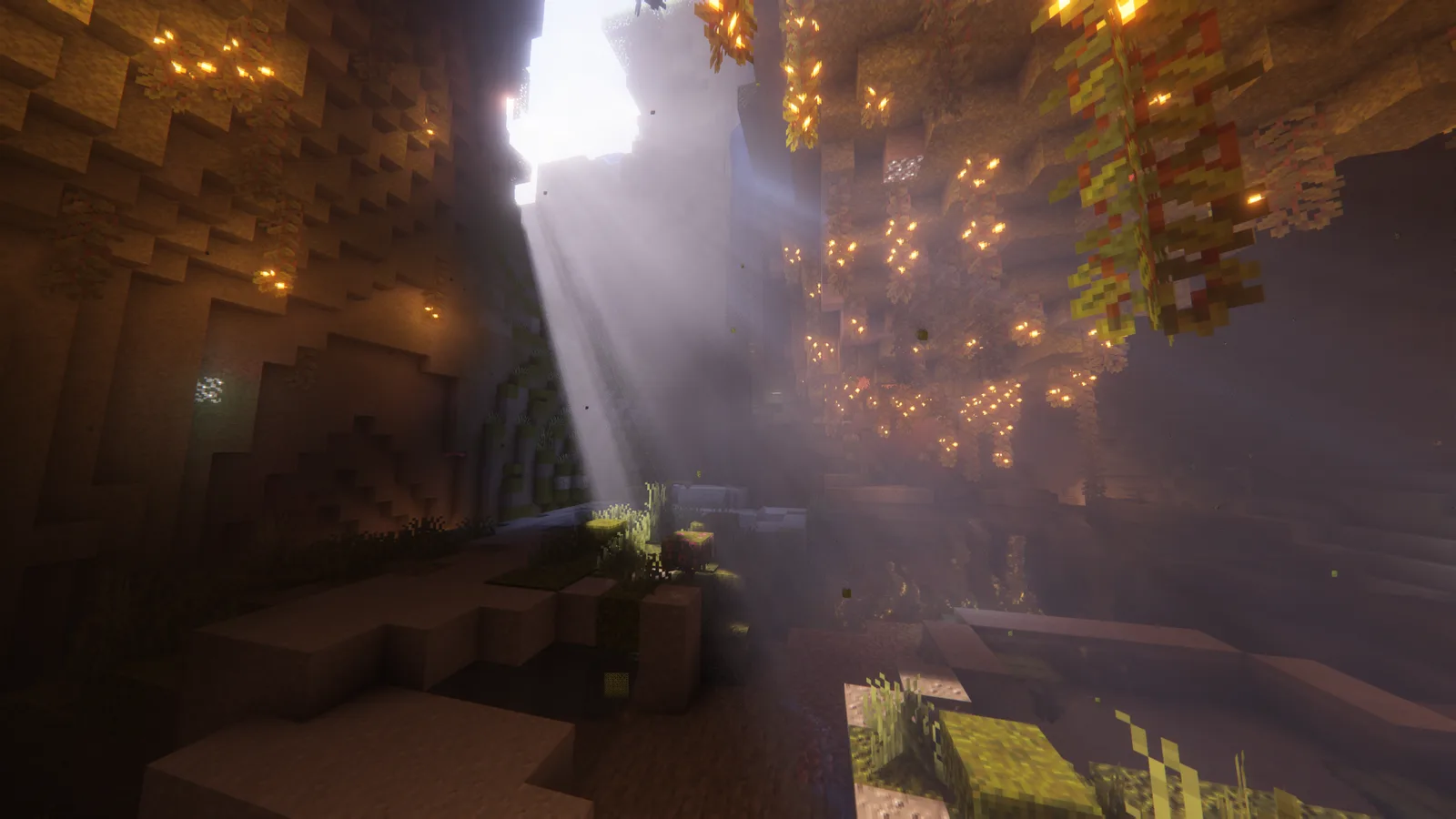 Screenshot: Complementary Reimagined gallery on Modrinth, by EminGT.
Full comparison of the two styles with screenshots: Complementary Reimagined vs Unbound.
Tuning any shader for more FPS
Regardless of which pack you choose, these settings have the biggest impact:
Shadow resolution: the single most impactful setting. Many packs default to 2048 or higher. Drop to 1024 or 512 for immediate large FPS gains with minimal visible quality loss at normal play distance. Only matters for screenshots at close range.
Shadow distance: how far away shadows are rendered. Halve it from the default for a significant gain; distant shadows are the part you notice least.
Waving plants/leaves: purely aesthetic, measurably expensive. Disable if you're chasing FPS.
Bloom: post-processing glow effect. Looks nice, not free. Disable.
Dynamic lights: torches and glowing items light nearby blocks dynamically. Expensive. Disable if you don't use it for caving.
Water effects: drop from "fancy" to "fast" or "simple."
Render distance: not a shader setting, but lowering it from 12 to 8 chunks reduces the total geometry the shader has to process. Worth doing before changing shader-internal settings.
Lightest to heaviest
| Shader pack |
Weight |
Visual change |
| Potato Shaders |
Lightest |
Minimal enhancement |
| Sildur's Enhanced Default |
Light |
Noticeably better lighting |
| Super Duper Vanilla (medium) |
Light-medium |
Sun shadows and water |
| Complementary (Potato / Low profile) |
Medium |
Best lighting in this list |
| Complementary (High profile, default) |
Heavy for this hardware |
Reference |
There is no honest FPS number to put next to each pack: it depends on your GPU, CPU, resolution, render distance and biome. Dense forests and jungles always render slower than plains or deserts. Use the F3 screen in the world you actually play to compare two packs.
Should you even use shaders on low-end hardware?
Check your baseline first: Sodium and the performance mods, no shaders, in the world you play. Every shader pack costs frames on top of that, and even the light ones cost a noticeable share. If your baseline already struggles to stay smooth, a stable frame rate without shaders will feel better than a stuttering one with them.
If your baseline is already low, focus on:
- Lowering render distance to 8 chunks
- Using the full performance mod stack
- Correct RAM allocation (3-4 GB for vanilla, not more)
- Potato Shaders at a lower resolution if you want any visual change
The performance mods alone typically give more visual improvement per FPS cost than a lightweight shader: the difference between vanilla rendering and Sodium-rendered vanilla is significant, and it's free.
Download links:
Frequently asked questions
Can shaders run on integrated graphics?
Yes, with light packs or low profiles. Potato Shaders targets integrated GPUs like Intel UHD, Iris Xe and AMD Vega, and Sildur's Enhanced Default on its Fast profile is the other safe pick. Complementary's Potato profile can also work at a short render distance. Intel HD 5000 and older are not supported by Potato Shaders on Windows, so on those chips try Sildur's on Fast or skip shaders.
Which shader is the lightest?
Potato Shaders, by design: it has no dynamic shadows at all, which is the most expensive effect in any shader pack. If Sildur's Enhanced Default on Fast is still not smooth on your machine, Potato Shaders is the next step down.
Do shaders lower FPS a lot?
Yes, and how much depends on the pack and your hardware, which is why this guide does not quote one number. The heavier the pack, the bigger the hit: Complementary on its default profile costs far more than Potato Shaders on the same PC. Measure your baseline with F3, enable the pack, stand in the same spot and compare.
Do I need Iris or OptiFine for shaders?
Every shader pack on this list works with Iris, and most also load on OptiFine. Iris paired with Sodium gives noticeably better performance than OptiFine on the same shader pack, because Sodium's render pipeline improvement compounds with the lighter shader load. Install Iris from Modrinth; it requires Sodium and Fabric API.





Comments
Loading...