Complementary has been the default answer to "what shaders should I install" for years, and in 26.3 it still is for most players. It ships as two packs on Modrinth, Reimagined and Unbound, and the most common question about it is which one to pick and whether your PC can run it.
Corrected on 9 October 2026. An earlier version of this review described Reimagined as the heavier, effects-rich variant and Unbound as the lightweight one, and said Complementary cannot run on integrated graphics. Both were wrong. The author describes Unbound as the realistic style and Reimagined as the vanilla-like style, and both scale down to a Potato profile. This page now reflects that.
Complementary Unbound vs Reimagined: the short answer
Reimagined keeps Minecraft looking like Minecraft. Unbound goes for realism. That is how the author, EminGT, describes them on Modrinth: Unbound is "the less restricted style" aimed at "a more realistic image," and Reimagined "reimagines Minecraft while preserving its unique visual elements."
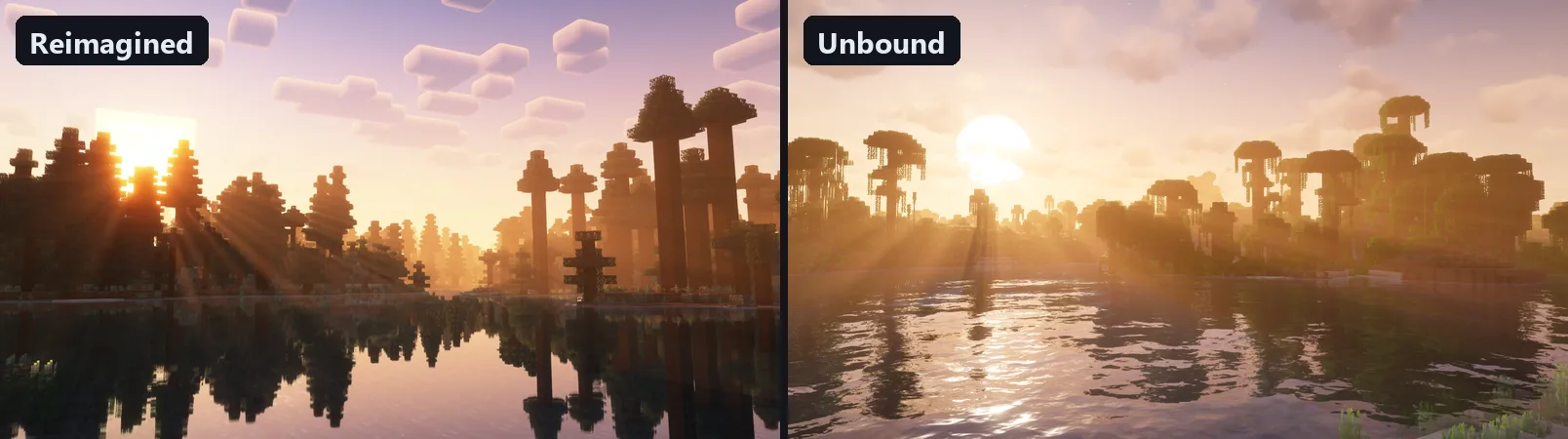 Screenshots: Complementary Reimagined and Unbound galleries on Modrinth, by EminGT.
The key detail most comparisons miss: they are the same shader underneath. Both packs share one codebase, one settings menu and the same quality profiles. What differs is the default style, and you can change either one after downloading.
|
Complementary Reimagined |
Complementary Unbound |
| Style |
Vanilla-like, reworked Minecraft feel |
More realistic image |
| Water and clouds |
Closer to vanilla shapes |
More realistic look |
| Defaults |
Lighter on effects |
Heavier on realism effects |
| Pick it if |
You want Minecraft, just better lit |
You want screenshots that look less like Minecraft |
Because Unbound's defaults lean on more realism effects, it usually costs a bit more GPU time out of the box. But since both use the same settings, the honest performance answer is: the profile you choose matters far more than which of the two packs you installed.
What Complementary is
Complementary is a shader pack for Minecraft Java Edition by EminGT, originally built on BSL Shaders and rebuilt over the years into its own project. Modrinth lists Iris and OptiFine as supported loaders, and current versions support 26.3 and 26.2.
The rest of this site recommends Iris for 2026: it runs on top of Sodium instead of replacing your renderer, and it is the actively developed path. The Iris shaders guide has the exact matching Iris and Sodium versions, and OptiFine vs Sodium explains why. If you already use OptiFine for another reason, Complementary still loads there.
System requirements: what your PC actually needs
There is no official minimum spec. Complementary is built to scale, with quality profiles from Potato up to Ultra, so "can my PC run it" really means "which profile can my PC run."
What you need for sure:
- A shader loader. Iris (recommended, it needs Sodium) or OptiFine. Complementary does nothing on its own.
- Current GPU drivers. Outdated drivers are the most common reason a shader pack fails to load, renders black, or throws errors about unsupported OpenGL features.
- Java 25 for Minecraft 26.2 and later. The official launcher bundles it; this only matters with third-party launchers.
Which profile to start on (our estimate, not an official spec):
| Your GPU |
Start with |
| Older integrated graphics (Intel HD / UHD 600-series) |
Potato, render distance 8 or less. Playable at best; a lighter pack may suit you better |
| Recent integrated graphics (Intel Iris Xe, AMD Radeon 680M/780M) |
Potato or Low, render distance 8 to 12 |
| Entry-level dedicated (GTX 1050 / 1650 class) |
Low or Medium |
| Mid-range (GTX 1060 / RTX 3050 class and up) |
Medium or High |
| Recent mid-range and high-end |
High or Ultra, either style |
Laptops with both integrated and dedicated graphics often run Minecraft on the integrated chip by default. If FPS is far below what your hardware should manage, set Java (javaw.exe) to the high-performance GPU in your graphics settings before blaming the shader.
RAM does not fix shader FPS. Shaders are GPU work. Giving Minecraft more memory will not raise your frame rate with shaders on; the profile and the settings below are the levers that help.
Settings that actually move FPS
Open Video Settings → Shader Packs → Shader Options. Start by picking a profile, then fine-tune. These are the levers worth touching, in order:
- Profile: the biggest single change. Drop one step (Ultra → High → Medium → Low → Potato) before tweaking anything else.
- Shadow quality and shadow distance: the most expensive individual effect. Lower shadow quality first, then pull shadow distance in. Shadows far away add little to what you notice while playing.
- Render distance: shaders cost more per visible chunk. Dropping from 16 to 12 is often worth more FPS than any single shader option.
- Volumetric light and fog: pretty, and not free. One of the first realism effects to turn down on Unbound's defaults.
- Reflections: water reflections are one of Complementary's best features. Keep them unless you are on Potato or Low.
- Bloom: purely aesthetic; an easy cut if you need a few frames.
Measure it yourself in two minutes
FPS tables for specific GPUs are false precision: two people with the same card get different numbers from resolution, render distance, resource packs and drivers. Measure your own:
- Load a world you actually play in, somewhere with terrain, foliage and open sky.
- Press F3 to show FPS.
- Run
/time set noon so the light angle does not drift during the test.
- Stand still for 15 to 20 seconds and note the number FPS settles at.
- Change one thing (profile, style, or shaders off), stand in the same spot, and repeat.
Two minutes, and you have the real cost of a setting on your own machine.
Which style for which goal
- Survival and building that should still feel like Minecraft: Reimagined.
- Screenshots, cinematic videos, "make it look real": Unbound.
- Weak hardware: either, on Potato or Low. The style matters less than the profile there.
- Competitive play (PvP, speedrunning): neither, unless you have FPS to spare. Every lighting pass adds frame time.
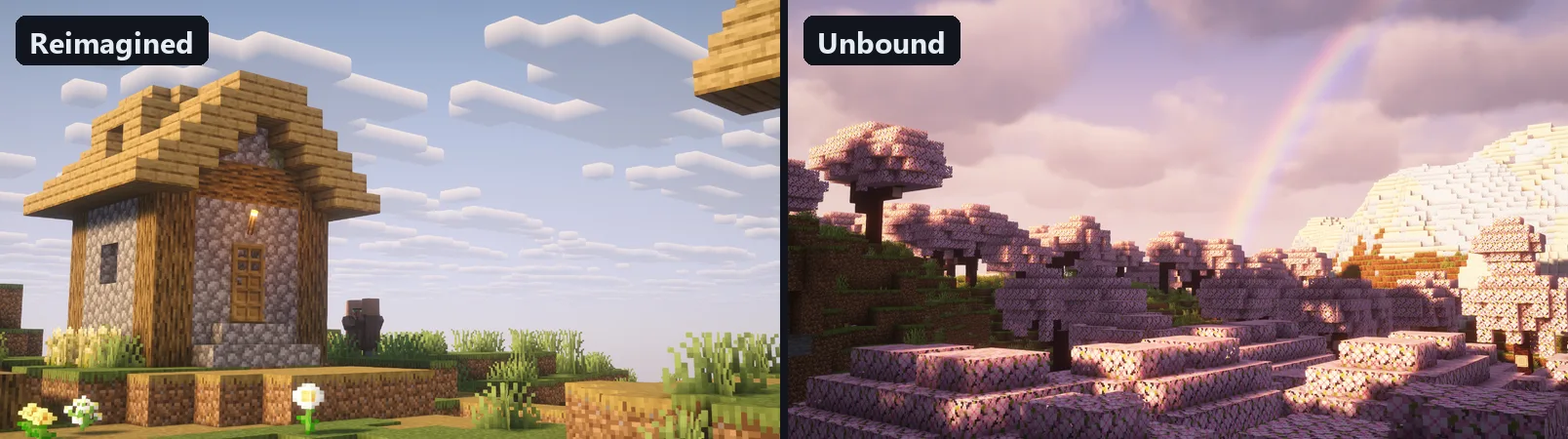 Screenshots: Complementary Reimagined and Unbound galleries on Modrinth, by EminGT.
You can install both and switch in the Iris shader menu without reinstalling anything. Each pack keeps its own settings.
What it does well
Lighting. Light through leaves, sunsets, warm torch and lantern glow: all far better than vanilla.
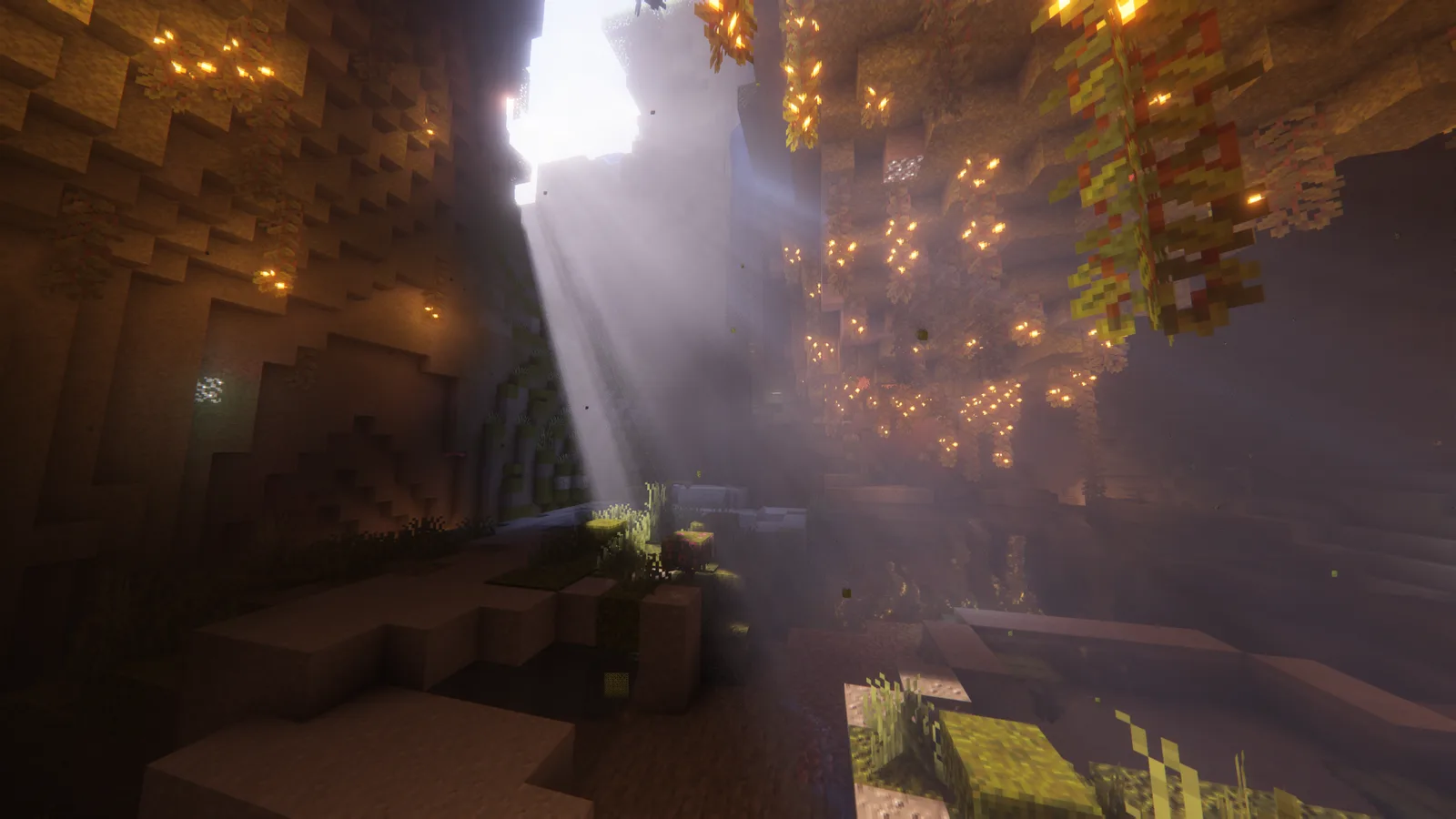 Screenshots: Complementary Reimagined and Unbound galleries on Modrinth, by EminGT.
Water. Reflections and the shallow-to-deep water transition are among the best in this weight class.
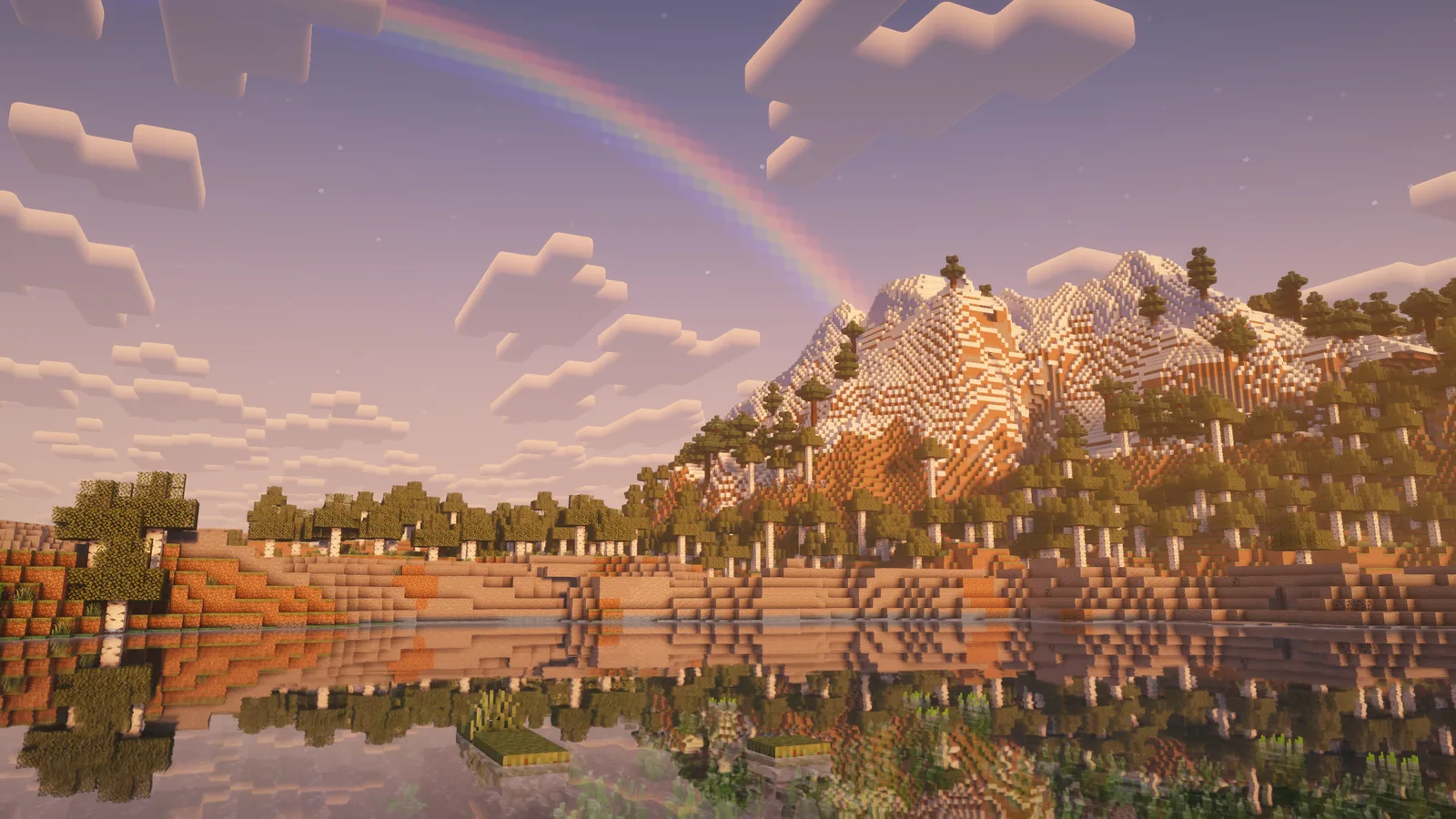 Screenshot: Complementary Reimagined gallery on Modrinth, by EminGT.
Scaling. The Potato to Ultra profiles are the reason Complementary is the safe recommendation: the same pack works on a laptop and on a high-end desktop.
Compatibility. It works with most major mods (Create, Biomes O' Plenty and similar) and with PBR resource packs.
Configuration. The in-game menu has more options than almost any other pack, so you can tune exactly the effects you care about.
What it doesn't do
Path tracing. Complementary uses shadow maps and screen-space effects, not path-traced global illumination. For that you need packs like SEUS PTGI on strong hardware.
Miracles on very old hardware. On older integrated graphics even Potato is a compromise. If you only want a light touch of better lighting, the low-end shader roundup covers packs built for that from the start.
Fixing an already slow game. If you stutter without shaders, fix that first with the lag and stutter guide and the Fabric performance mod stack. Shaders make an existing problem worse; they do not cause it.
Compared to alternatives
| Shader |
Weight |
Style |
Best for |
| Complementary Reimagined |
Scales Potato to Ultra |
Vanilla-like |
Most players |
| Complementary Unbound |
Scales Potato to Ultra |
Realistic |
Screenshots and cinematic play |
| BSL Shaders |
Medium |
Warm, saturated |
Vivid colors |
| MakeUp Ultra Fast |
Light |
Configurable, simple |
Low-end hardware |
| SEUS PTGI |
Very heavy |
Path-traced |
Top-tier hardware only |
Verdict
Complementary is still the easiest shader recommendation in 26.3: good visuals, real scaling from weak laptops to high-end desktops, strong mod compatibility and active updates.
Pick Reimagined if you want Minecraft to look like Minecraft, just much better lit. Pick Unbound if you want realism. Then choose the profile that fits your GPU, and use the two-minute F3 test before you assume you need different hardware.
Frequently asked questions
Is Complementary Reimagined or Unbound better?
Neither is better; they are two default styles of the same shader. Reimagined is vanilla-like, Unbound aims for realism. Both share the same settings and profiles, so you can make either look closer to the other.
Is Complementary Unbound or Reimagined faster?
At their default settings Unbound usually costs a little more, because its realism effects are switched on. With the same profile and settings, the difference is small. The profile you pick matters much more than the style.
What are the system requirements for Complementary Reimagined?
There is no official minimum. You need Iris (with Sodium) or OptiFine and current GPU drivers. Recent integrated graphics can run the Potato or Low profile, entry-level dedicated GPUs handle Low to Medium, and mid-range cards and up handle High or Ultra.
Can Complementary run on integrated graphics?
Yes, on the Potato or Low profile with a modest render distance. Recent chips like Intel Iris Xe or AMD's 680M and 780M handle it far better than older Intel HD graphics, where a lighter pack may be the better choice.
Is Complementary good for low-end PCs?
Better than most full shader packs, because the Potato profile turns off the expensive effects. Start on Potato, lower render distance, and raise settings only if you have FPS to spare.
Can I switch between Reimagined and Unbound?
Yes. Install both and switch in the Iris shader menu. Each keeps its own settings.
Does Complementary work with OptiFine, or do I need Iris?
Both are supported. Iris is the recommended path in 2026 because it runs on top of Sodium's rendering performance.
Download links: